Build a Community
Create a branded digital home where employees can find company news, access resources, and collaborate across teams on any device, in any language.
Deliver a secure, multilingual, and fully customizable intranet that empowers every employee. Build once, scale anywhere, and connect your entire organization.
Yes. A dotCMS intranet is a site only signed-in employees can open, where you publish company news, policies, and resources. It can run on the same dotCMS platform as your public websites. TELUS moved its employee portal to dotCMS Cloud, runs several of its brands in the same system, and serves employees and customers in English and French. After the move, content editing time dropped from over ten minutes to under thirty seconds.
With the company login they already use. dotCMS connects to your identity provider through SAML single sign-on (SSO), and the dotCMS docs walk through an intranet set up this way. When someone who isn’t signed in opens an intranet page, dotCMS sends them to your company login first, then back to the page. At sign-in, dotCMS gives each employee an intranet role that controls what they can see. For Azure, the docs include a setup that copies employees’ roles from Azure into dotCMS.
Yes. In dotCMS you decide who can see each part of the intranet by role, from a whole site down to a single article, so an HR-only page stays hidden from everyone outside HR. Separate settings control who can edit and who can publish. You can also tailor what people see: personalization rules can show different homepage content based on the country an employee is browsing from, so offices in Canada and the UK each see what applies to them.
Yes. dotCMS has built-in multilingual support for pages, content, navigation, and forms. The Translate Content workflow action can machine-translate content into every language you have installed, using a translation service such as Google Translate, and a reviewer fluent in each language should check the result before it publishes. TELUS uses dotCMS multilingual features to serve its English- and French-speaking employees and customers.
Every announcement in dotCMS goes through an approval process you design, and only the people you choose can publish. If an announcement needs sign-off from HR, legal, or leadership, you can name the approvers and set how many must approve before it moves on. dotCMS calls this Four Eyes approval. dotCMS also saves every version along with who made it, so a mistake can be traced and the earlier version restored.
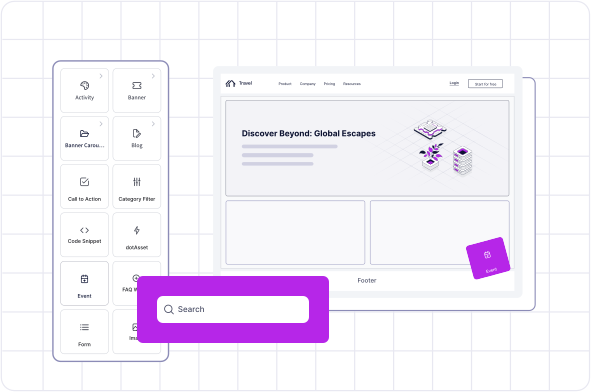
Yes. Communications teams edit intranet pages in the Universal Visual Editor, which shows each page exactly as employees will see it. Editors drag content such as news posts and forms onto the page, rearrange it, and check how the page looks on desktop, tablet, and mobile before anything goes live. They can also preview each language version of a page, the version each employee group will see, and content scheduled to appear later, such as an announcement set for Monday morning. When the page is ready, editors send it for approval from the same screen, and they can only take the approval steps their role allows. This works even if your developers built the intranet with a separate front-end framework such as React.
Wherever your IT and security policies need it. dotCMS has three hosting options: dotCMS Cloud, run and managed by dotCMS on AWS; Cloud Anywhere, managed by dotCMS on AWS, Azure, or Google Cloud under your own contract with that provider; and self-hosted, where your team runs the infrastructure. Self-hosting is for organizations that need to own their infrastructure because of company policy or geographic requirements.
Yes. The dotAI APIs provide semantic search over content stored in dotCMS, so developers can build intranet search that answers questions like "how do I request parental leave?" instead of matching exact keywords. Results can be filtered by site, content type, and language, and the search index is built from live (published) content.
In the IDC MarketScape: Worldwide AI-Enabled Headless CMS 2025 Vendor Assessment
See how dotCMS empowers technical and content teams at compliance-led organizations.
dotCMS is ISO 27001 and ISO 42001 certified, pairing independently verified information security with governed, accountable AI.