
Writing should be the easy part. Yet for most content teams, the editor is where the friction lives: a formatting menu that floats over the words you are trying to read, a cramped writing area, an asset picker that shows you a sliver of your library, and a search box that quietly returns the wrong thing the moment you type more than one word. None of that is the content. All of it slows the content down.
The dotCMS Block Editor — the Story Block field your teams use to compose blogs, press releases, articles, and documentation — has been rebuilt around a simple idea: the editor should feel like the tools people already write in every day, and it should get out of the way. This release brings a familiar top toolbar, a focus mode for long-form writing, a larger asset picker, search that handles real queries, and cleaner, more accessible output — all on a modern foundation that lets us ship improvements faster.

Why the editing surface matters more than it used to
Content authoring is table stakes, but the output of the editor is now a strategic concern. Structured, predictable, accessible content is what headless front-ends render reliably, what LLMs can parse, and what accessibility standards require. An editor that produces clean structure while feeling natural to write in is not a nicety — it is the difference between content that ships and content that waits on a developer.
That puts two demands on the same tool. Authors want an experience that matches the mental model of Google Docs or Word. Developers want clean, structured JSON they can render anywhere. This release moves both forward at once.
A familiar top toolbar
The most visible change is the toolbar. The formatting controls now live in a persistent bar anchored to the top of the editor — the pattern every writer already knows from Google Docs and Word. Bold, headings, lists, links, tables, media, code, and the rest are always in the same place, every time, instead of appearing in a menu that follows your cursor and has to guess where to position itself.
The result is predictable and calm. You know where the controls are, they do not move, and the writing surface below them stays stable while you work. The toolbar is fully keyboard-navigable, so authors who work without a mouse can move through it directly.
A focus mode for long-form writing
Some content deserves your full attention. A new focus mode expands the editor into a large, distraction-free writing surface that fills the screen, with everything else dimmed behind it. When you are drafting a long article or a detailed release note, you can drop into a clean canvas, write, and press Escape to come back. It is the same content and the same blocks — just more room to think.

Find and place assets without the squint
Pulling an image, a video, or a piece of existing content into a story used to mean working through a small window. The asset picker now opens in a much larger modal with room to actually browse and search, and the image and video pickers are scoped to the right kind of asset so you are not wading through everything to find one photo.
Searching for content to embed also works the way you expect. Previously, typing a multi-word query — say, the name of a product or an article with spaces in it — could quietly fail to narrow the results, leaving authors to scroll. That is fixed: the editor now tokenizes what you type so multi-word searches refine correctly and return the content you are actually looking for. Adding a link is better too — type part of a page title or path and the editor searches your internal dotCMS pages and offers matches, so you link to the right page instead of pasting a URL by hand.
Cleaner, more accessible output — across every front-end
Accessibility is where a structured editor earns its keep, and it is increasingly a compliance requirement rather than a preference. Tables built in the Block Editor now carry the semantics assistive technology depends on: header cells are marked with the correct scope, tables can have a real caption, and you can set descriptive aria labels — all authored right in the editor and rendered correctly whether you deliver through dotCMS templates or the React and Angular SDKs. Subscript and superscript now render as true sub and sup elements, so footnotes and formulae carry their meaning, not just their look. And a new clean-semantic renderer for the Angular SDK emits lean, standards-aligned markup for headless front-ends.
How it works, for the teams who build on it
Under the surface, this is a ground-up rebuild. The editor now runs on TipTap v3 (the maintained, standard ProseMirror-based foundation) in a rearchitected integration layer that is far easier to extend — which is what lets us add capabilities faster from here. Critically for anyone consuming the content, the stored document shape is unchanged: the Block Editor still produces the same structured JSON, so there is no content migration and nothing to re-author. Existing content loads and renders exactly as before.
For developers, that means the SDK contracts hold. The new Angular clean-semantic renderer is an opt-in component you can adopt when you want leaner DOM; the existing renderer continues to work unchanged. Governance is untouched as well — the same field variables that whitelist allowed blocks and embeddable content types still apply, so the editing experience stays inside the guardrails your architects set. Embedded contentlets inside two-column and grid blocks now apply their custom render correctly, closing a gap that previously affected how referenced content appeared on the page.
A day in the editor
Picture a content team at a large financial services organization publishing a detailed product update. The writer opens the Block Editor, switches into focus mode, and drafts the body without the rest of the screen competing for attention. They drag blocks to reorder a section, pull a diagram from the larger asset picker, and search “rate change notice” — a multi-word query that now returns the right existing contentlet to embed instead of a list of near-misses. They build a comparison table, give it a caption and proper header scopes so it passes the organization accessibility checks, and add an internal link by typing the page title and picking it from the dropdown. No developer ticket, no fighting the tool — and the front-end renders clean, structured, accessible content on the other side.
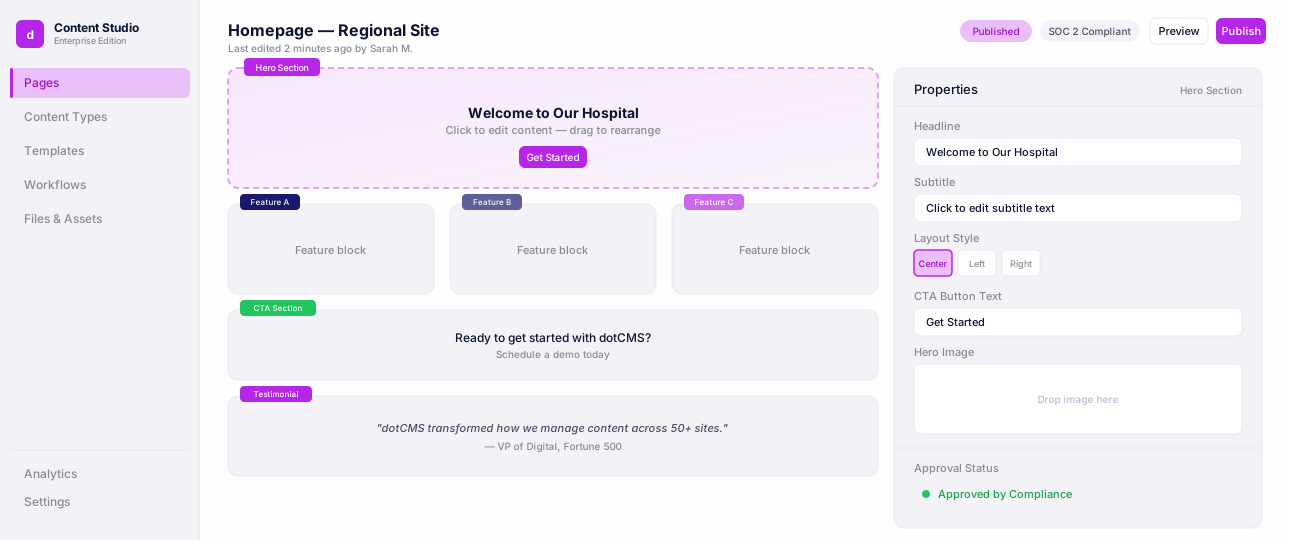
Universal Visual Editor
Edit pages visually while developers keep full headless control.
What is next
This release is about making the everyday writing experience familiar, focused, and reliable, and putting the editor on a foundation that lets us keep improving it. More is coming — but the gains here stand on their own: a toolbar your teams already know how to use, a focus mode for real writing, an asset picker with room to work, search that behaves, and output that any front-end or accessibility standard can trust.
Open the Block Editor and start writing. It should feel like coming home.
FAQ
By removing the small frictions that force writers to stop and wait — a floating toolbar that guesses its position, a cramped asset picker, search that fails on multi-word queries. The rebuilt editor keeps writers in flow with a familiar top toolbar, a distraction-free focus mode, and search that actually returns the right result. Content that used to need a developer ticket to fix formatting or find an asset now stays entirely in the author's hands.
No. the stored document shape is unchanged... so there is no content migration and nothing to re-author. Existing content loads and renders exactly as before.