
At dotCMS, we constantly strive to improve the user experience by making content management more intuitive, flexible, and efficient. One of our most significant upcoming updates is the introduction of a powerful new Side Panel, a mechanism designed to enhance productivity across the platform.
The Vision Behind the Side Panel
Content management involves multiple workflows, tools, and interactions that can sometimes slow users down. Additionally, it can be challenging for users to find the right tools or information quickly, and the learning curve can make it difficult to get accustomed to the platform.
Our goal was to create a contextual, persistent, and feature rich space that adapts dynamically based on where users are in the platform. Instead of navigating through multiple sections, users now have immediate access to essential tools, settings, and collaboration features, all in one place.

A Tailored Experience for Every Screen
The Side Panel is not just a static addition; it is intelligently designed to provide relevant functionality based on the screen the user is working on. Here’s how it adapts across key areas of dotCMS:
Content Editing & Creation
Edit Content Screen, UVE, Template Builder, Content Types
For areas where users are actively editing content, the Side Panel serves as a productivity hub, offering:
Editing Tools: Quick access to essential editing functionalities.
History: View past changes and revert when needed.
Comments: Collaborate and discuss changes directly in context.
Settings: Configure relevant options without leaving the screen.
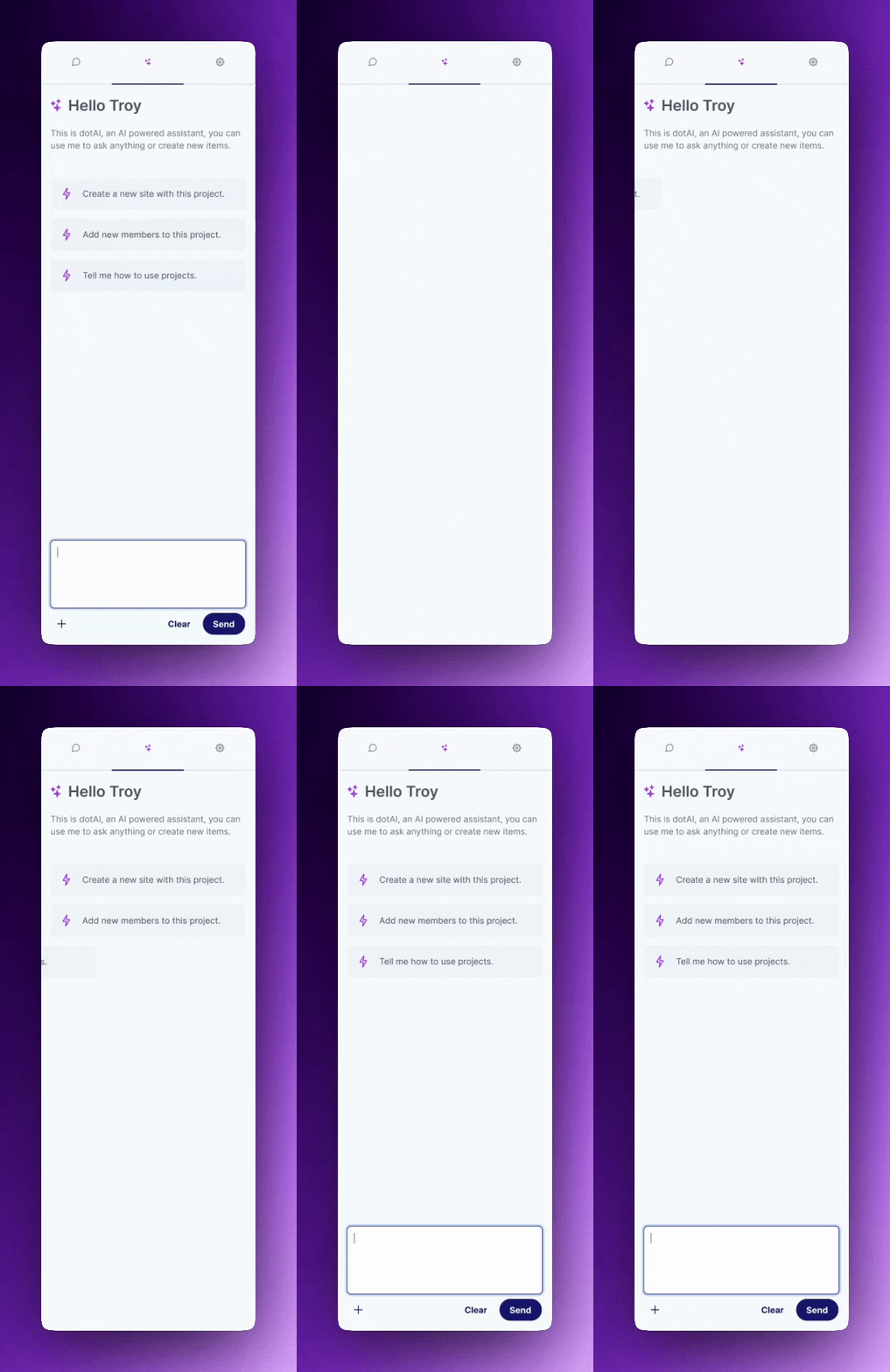
dotAI (AI-powered Assistant): The most powerful addition, dotAI helps users generate, refine, and optimize content effortlessly.

Other Functional Areas
Content Search, Assets, Dev Tools, etc.
For screens focused on searching, managing assets, or working with developer tools, the Side Panel offers:
Info: Detailed insights related to the selected content or asset.
Comments: Enable team discussions within the context of assets, projects, and files.
dotAI: Providing AI-driven suggestions, searching, creating new content, and automation to boost efficiency, everything in one place.
Settings: Access necessary configuration options relevant to the specific page.
Why This Matters
This new Side Panel approach transforms the way users interact with dotCMS:
Reduces Clicks & Navigation: Users no longer need to switch between multiple screens.
Enhances Collaboration: With real-time comments and shared history, teams can work more effectively.
Boosts Productivity: dotAI assists with content generation, troubleshooting, and automation.
Provides Consistency: A unified Side Panel across different features ensures a seamless experience, making it easier for users to learn and navigate the platform efficiently.
The Future of dotCMS UX
This is just the beginning. Our Side Panel architecture is built to evolve, with future enhancements planned to introduce more automation, customization, and integrations.
We are excited to see how our users take advantage of this new feature to streamline workflows and enhance content management within dotCMS. Stay tuned for more updates!
Have feedback? We’d love to hear from you, let’s shape the future of dotCMS together.